AI File & Document Management

AI PDF Organizer
For Everyone

Automatically organize PDFs by content, topic, and category. Stop wasting time searching for documents let AI do it for you.

No credit card required ยท Free plan included

|
10+
hours saved monthly on manual filing
3 sec
to find any file with AI search
100%
of files organized automatically

AI organization for PDFs

Tailored structure and intelligent filing designed specifically for pdfs workflows.

โœจ

Transform your PDF chaos

Automatically organize academic papers, research documents, and industrial PDFs with intelligent content-aware categorization.

Custom Organization Logic

1

Sort by topic, then document type, then publication date

  • Topic-based automatic categorization
  • OCR for scanned documents
  • Automatic metadata extraction

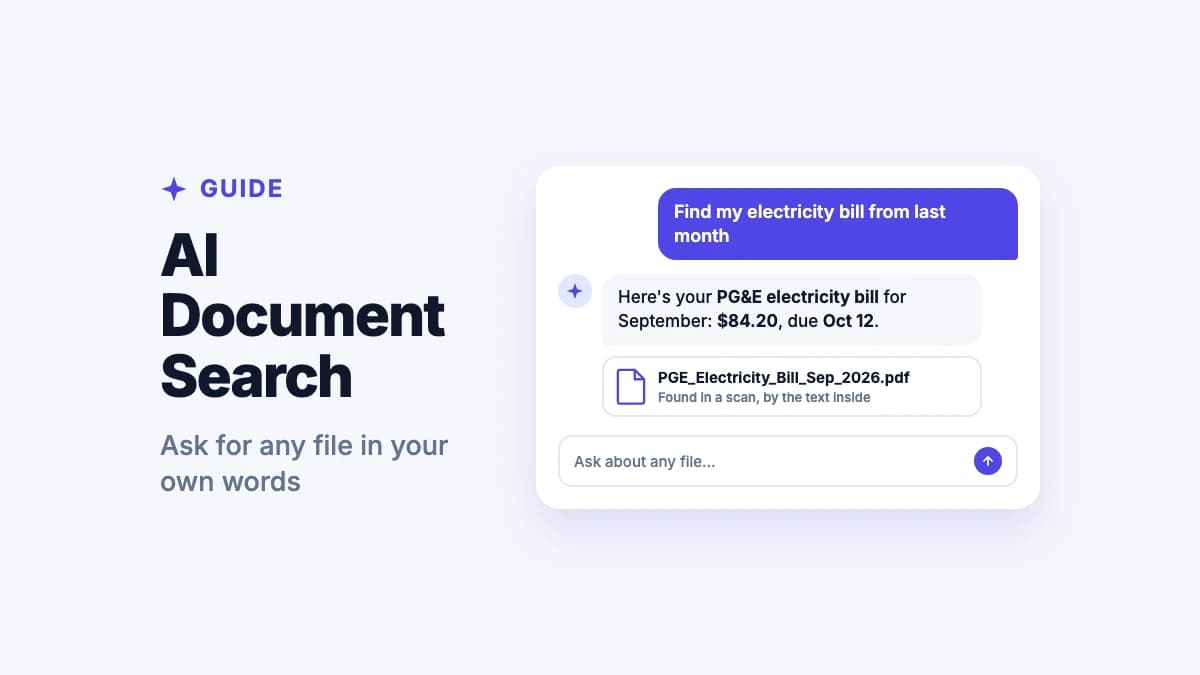
Natural Language Search

"Find the paper on transformers from 2023"

FILE

unorganized_file.pdf

Unorganized

Research/AI/Transformers/Attention_Is_All_You_Need.pdf

Organized by Filex AI

Extract more than just folders

Our AI doesn't just sort your filesโ€”it understands them. We automatically extract key entities like people, organizations, locations, and amounts so you can search using natural language.

1
Deep content analysis
Identify key subjects and entities across different file types automatically.
2
Smart deadlines
Get notified about expiring contracts, due dates, or upcoming renewals found in your docs.
Entity Extraction
Automatically identified fields
๐Ÿ‘ค
Main Author
Dr. Sarah Chen
๐ŸŽ“
Institution
Stanford University
๐Ÿ“…
Published Date
January 12, 2024
๐Ÿ’ต
Grant Amount
$45,000.00
Upcoming deadline reminder
"Draft paper review for ICML is due in 5 days."

PDF chaos is slowing you down
โ€” manually sorting documents is a thing of the past.

From academic papers to industrial reports, Filex AI understands your PDFs so you don't have to.

2.5 hours

wasted daily searching & organizing files

File Chaos

60%

of work context is lost in scattered files

Lost Context

73%

of teams struggle with inconsistent file names

Naming Confusion

The Ultimate PDF Toolkit

Everything you need to organize, search, and manage your PDF library.

Key Feature
๐Ÿ“„

Built Specifically for PDFs

Automatically recognizes and organizes PDF content by category, topic, and type. Perfect for documents, books, reports, and reference materials.

Key Feature
๐Ÿง 

Content-Aware AI Organization

Advanced AI reads and understands PDF contentโ€”not just filenames. Identifies topics, categories, and context to organize documents intelligently.

๐Ÿท๏ธ

Intelligent File Renaming

Say goodbye to cryptic names like "final_v2_updated.pdf". AI generates clear, descriptive names based on actual PDF content.

๐Ÿ”

Powerful Smart Search

Find any PDF instantly by searching content, not just filenames. Search by topic, keyword, or even concepts mentioned in your documents.

๐Ÿ”’

Privacy-First Design

Your documents, reports, and personal PDFs are encrypted and completely private. Zero-knowledge architecture means only you can access your files.

๐Ÿ“ฑ

Access Anywhere, Work Everywhere

Seamlessly sync your organized PDFs across all devices. Work on your laptop, review on your phone, and access everything in the cloud.

How to Tame Your PDF Library

Three simple steps to a perfectly indexed and searchable PDF collection.

01

Upload Your Files

Drop files, folders, or entire workspaces โ€” PDFs, images, docs, anything messy.

02

Tell AI What You Want

Use plain English like โ€œorganize by projectโ€ or โ€œgroup by client & date.โ€

03

AI Organizes Instantly

Files are renamed, categorized, and structured automatically โ€” no rules needed.

04

Find Anything Fast

Search using natural language and access any file in seconds.

Simple, transparent pricing

Start free. Upgrade only when you need more power.

Free

Start organizing smarter with AI-powered file management.

$0
  • 20 files one time
  • AI content analysis & auto-sorting
  • Smart file renaming
  • Basic tagging
  • Cloud sync across devices
  • Export Organized Folders
Most Popular

Premium

Ideal for professionals who organise files, notes, and projects every day.

$2.99/month
  • 500 files organization per month
  • Advanced subject-based folders
  • OCR for images & scans
  • Handwritten notes analysis
  • Mobile app access
  • Share-to-organize from anywhere
  • Priority support
  • Export Organized Folders
Best Value

Premium (Yearly)

Save more with annual billing

$29/year
  • 6000 files organization per year
  • Advanced subject-based folders
  • OCR for images & scans
  • Handwritten notes analysis
  • Mobile app access
  • Share-to-organize from anywhere
  • Priority support
  • Export Organized Folders
๐ŸŽ

For iPhone

AI PDF Organizer for iPhone

Automatically rename, sort, and find every PDF on your iPhone โ€” powered by AI.

Filex AI reads the content inside your PDFs and organizes them by topic, type, and date โ€” right on your iPhone. Research papers, invoices, and contracts all in their right place.

What it solves:

  • Auto-sort PDFs by topic, type, and date
  • Search 'find transformers paper from 2023' instantly
  • OCR indexes scanned and image-based PDFs
  • Smart folders per topic and document type
  • Automatic metadata extraction from PDF content
๐Ÿค–

For Android

AI PDF Organizer for Android

Automatically rename and organize every PDF on your Android โ€” powered by AI.

Filex AI reads and categorizes all your Android PDFs by content โ€” no manual filing needed. Find any PDF instantly with natural language search.

What it solves:

  • Auto-rename PDFs with meaningful filenames
  • Natural language search across all your PDFs
  • OCR reads scanned and image-based PDFs
  • Smart folders by topic and document type
  • Author, date, and keyword auto-tagging

What People Are Saying

Join thousands who've revolutionized their file management

๐Ÿ”ดReddit
Finally organized my 500+ PDF chaos. This saved me hours of searching. My downloads folder went from total mess to perfectly categorized library.
P
via Reddit
๐ŸฆX
โœ“ Verified
Organized 3 years of PDFs in under 10 minutes. Helped me find that old contract I needed. Worth every penny (it's free btw).
W
via X
๐Ÿ”ดReddit
All my PDFs are now sorted by content. No more "download(47).pdf". Can actually find my documents when clients ask for them.
C
via Reddit
๐ŸฆX
โœ“ Verified
Didn't expect AI to be this useful for documents. It reads the actual content and knows where it belongs. Mind blown ๐Ÿคฏ
O
via X
๐Ÿ”ดReddit
Found old invoices from 2 years ago instantly. The search feature actually works. Saved me during tax season.
T
via Reddit
๐Ÿ”ดReddit
Game changer for remote work. All my scanned documents and downloaded PDFs are organized automatically. No more panic searching.
R
via Reddit

Guides & resources

Learn more from the Filex AI blog

8 Security & Privacy Risks of Letting AI Organize Your Screenshots
AI & Technology8 min read

8 Security & Privacy Risks of Letting AI Organize Your Screenshots

Before you let an AI app scan your camera roll, know the risks: cloud upload exposure, model-training reuse, metadata leaks, and more. Here's how to vet any screenshot organizer.

Jul 1
5 Essential Questions to Ask Before Choosing an AI File Organizer
AI Document Management11 min read

5 Essential Questions to Ask Before Choosing an AI File Organizer

Before you upload a single tax return or medical record to an AI file organizer, ask these five critical questions about data processing, privacy, accuracy, control, and semantic search.

Jun 28
6 Predictable Mistakes AI File Organizers Make (And How to Avoid Them)
AI Document Management9 min read

6 Predictable Mistakes AI File Organizers Make (And How to Avoid Them)

AI file organizers save hours of manual work, but they aren't perfect. Learn the 6 most common mistakesโ€”wrong classification, hallucinated filenames, OCR failures, and moreโ€”and how to choose a tool that minimizes them.

Jun 28
Best Digital File Organizers in 2026: Google Drive, Dropbox, Hazel, and More Compared
AI & Technology18 min read

Best Digital File Organizers in 2026: Google Drive, Dropbox, Hazel, and More Compared

Looking for the best digital file organizer 2026? We compare top digital file organizers using AI, including Google Drive, Dropbox Dash, Hazel, Filex AI, and more.

Jun 26
Best ChatGPT Apps for Document Management in 2026: Q&A vs. True Organization
AI & Technology9 min read

Best ChatGPT Apps for Document Management in 2026: Q&A vs. True Organization

ChatGPT, ChatPDF, AskYourPDF, and NotebookLM are great at chatting with your files. Find out which ones can also organize them, and which can't.

Jun 26
How to Organize Text Documents Using AI in 2026
Text AI Document Organizer11 min read

How to Organize Text Documents Using AI in 2026

Learn how to organize text documents using AI in 2026. Discover how artificial intelligence transforms file management for notes, drafts, and research.

Jun 25

Frequently asked questions

Everything you need to know about using Filex AI

Is Filex AI free for PDF organization?

Yes! We offer free credits to organize up to 20 files per month. We have a generous free tier, with premium plans available for unlimited PDF organization.

Does it work with scanned PDFs?

Absolutely. Filex AI supports all types of PDFs including scanned documents and image-based PDFs. Our OCR technology can even read text from scanned pages.

Can it organize PDFs from different sources?

Yes! Upload PDFs from emails, downloads, scans, or any source. The AI analyzes the content and categorizes them appropriately with your other documents.

Is my document data private and secure?

Your privacy is our priority. All files are encrypted end-to-end, meaning only you can access your documents. We never share or sell your data, and you can delete everything anytime.

Does it rename my original PDFs?

No, your original files remain completely untouched. Filex AI creates an organized view and smart copies with better names, but your original downloads stay exactly as they are.

Can I access my organized PDFs on mobile?

Yes! Files sync automatically across all your devices. Access your organized documents on your phone, tablet, laptop, or any web browser. Perfect for working on the go.

Does it work for all types of documents?

Yes! Whether you have business contracts, personal records, ebooks, receipts, or any other PDFs, our AI understands document content across all categories and organizes accordingly.

Can I delete my data permanently?

Absolutely. You have complete control over your data. Delete individual files, entire folders, or your whole account at any time with one click. All data is immediately and permanently erased.

Is any setup or configuration required?

No setup needed! Simply create an account, upload your PDFs, and the AI starts organizing immediately. No manual rules, folders, or tagging required.

How accurate is the AI at categorizing PDFs?

Our AI achieves 95%+ accuracy in categorizing PDF documents. It understands content, topics, categories, and context. You can always manually adjust if needed.

Ready to Organize Your PDFs?

Join thousands of users who have already transformed their chaotic PDF collections into organized digital libraries.