
Receipts disappear. Thermal paper fades in a few months, email receipts sink under newsletters, and the one you need for a return, a warranty claim or a tax deduction is always the one you can't find.
The short answer: the best receipt app for most people is Filex AI, an AI receipt organizer for iPhone, Android and the web. Scan a paper receipt or share an email receipt, and Filex reads the store, amount and date, files it, tracks the warranty end date, and answers questions like "how much did I spend at Costco this year?". If you only need expense reports for your employer, Expensify is built for that.
A note on fairness: Filex AI is our app. We list it first because it's built for keeping and finding receipts, and we say plainly below when another app is the better fit.
Quick comparison
| App | Best for | Platforms | Price | Keeps & organizes receipts for you? |
|---|---|---|---|---|
| Filex AI | Best overall receipt keeper | iPhone, Android, web | First 10 files free, then Pro | Yes: reads, files, tracks warranties, answers spending questions |
| Expensify | Expense reports for work | iPhone, Android, web | Free for employees submitting expenses; paid plans | For expense reports |
| QuickBooks | Businesses already on QuickBooks | iPhone, Android, web | Part of a QuickBooks subscription | Inside your books |
| Dext | Bookkeepers and accountants | iPhone, Android, web | Paid | For bookkeeping |
| Shoeboxed | Mailing in paper receipts | iPhone, Android, web | Paid | Yes, by a scanning service |
| Notes / Google Drive | A quick free scan | iPhone / Android | Free | No |
Prices change often, so check each app's store page or website for current plans.
Every receipt, kept and findable
Scan or share any receipt and Filex AI reads the store, amount and date, files it and tracks the warranty. Your first 10 files are free.
Download Filex AIReceipt keeper vs expense app vs cash-back app
"Receipt app" covers three different jobs:
- Receipt keepers save and organize your receipts so you can find them for returns, warranties, budgets and taxes. Filex AI is one.
- Expense apps turn receipts into expense reports for an employer or accountant. Expensify and QuickBooks are examples.
- Cash-back apps like Fetch or Ibotta pay you points for scanning shopping receipts. They're a different kind of app: they don't keep or organize your receipts for you.
Most people searching for a receipt app want the first: somewhere every receipt is safe and easy to find.
How we compared them
- Capture: scanning paper, saving email receipts, importing PDFs
- Reading (OCR): does it pull out the store, amount and date?
- Organizing: automatic categories and names, or manual?
- Finding: search by store, amount or what you bought
- Extras: warranty tracking, spending totals, exports for taxes
1. Filex AI: best receipt app overall
Filex AI is a receipt keeper that does the filing for you.
What it does:
- Captures receipts any way they arrive: scan paper with the built-in scanner, share email receipts and PDFs from any app, or import photos you already took.
- Reads every receipt with OCR: store, amount, date and items, even from faded or crumpled paper photos.
- Names and files it automatically, for example
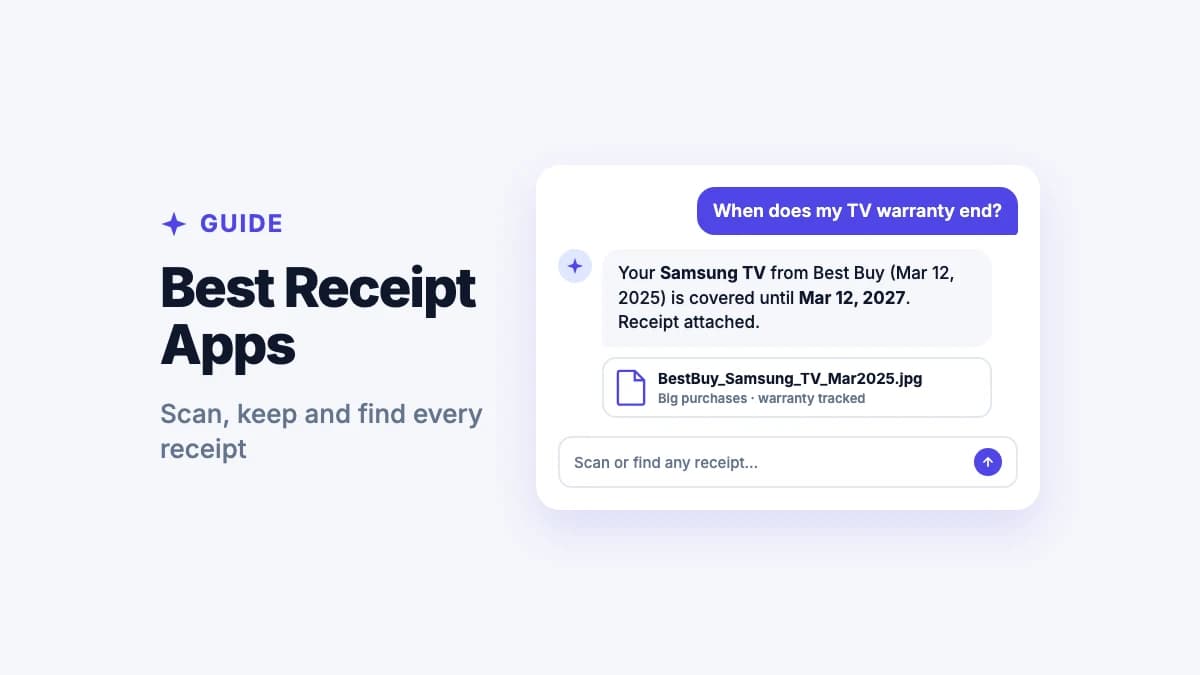
Costco_Receipt_Sep_28_2026in Food, orBestBuy_Samsung_TV_Mar2025in Big purchases. - Tracks warranties: pulls the warranty end date from purchase receipts, including Apple devices, and reminds you before it ends. See how to keep track of warranties.
- Answers spending questions in plain words: "how much did I spend on groceries last quarter?" or "what did I spend on the kids' school this year?"
- Finds any receipt by what it says: "the TV receipt" or "receipts over $100 from August".
- Lenses group receipts by purpose, like "tax deductions 2026" or "home renovation", without copying them.
- Downloads as PDF whenever a store, employer or accountant asks for a copy.
Price: your first 10 files are free; Pro is $7.99 a month for 500 files or $44.99 a year.
Best for: households, freelancers and anyone who wants every receipt kept, searchable and ready for returns, warranties and taxes.
2. Expensify: best for expense reports at work
Expensify is built for submitting expenses to an employer.
Strengths:
- SmartScan reads receipts and fills in expense details
- Builds and submits expense reports
- Free for employees submitting expenses to a company; paid plans for businesses
Limits: it's designed around expense reports, not keeping a personal receipt archive. Warranty tracking and household spending questions aren't its focus.
Best for: employees and teams who submit expense reports.
3. QuickBooks: best if your business already uses it
QuickBooks lets you snap receipts in its mobile app and match them to transactions in your books.
Strengths:
- Receipts go straight into your accounting
- Matches receipts to bank transactions
- Good for bookkeeping and tax time
Limits: needs a QuickBooks subscription, and it's an accounting tool, not a simple receipt keeper.
Best for: small businesses already running QuickBooks. See also our guide to the receipt app for small business.
4. Dext: best for bookkeepers
Dext captures receipts and invoices and pulls the data out for bookkeeping software.
Strengths:
- Strong data extraction for receipts, bills and invoices
- Publishes to accounting software
- Built for accountants working with many clients
Limits: paid and aimed at bookkeeping, more than most individuals need.
Best for: accountants and businesses with a bookkeeper.
5. Shoeboxed: best for mailing in paper receipts
Shoeboxed scans receipts for you: you mail them in, and they come back digitized.
Strengths:
- A done-for-you scanning service for big piles of paper
- Receipts organized and exportable
- Mobile app for scanning on the go
Limits: paid, and mailing receipts takes time.
Best for: people with a large backlog of paper receipts who don't want to scan them.
6. Notes and Google Drive: best free quick scan
Your phone can already scan a receipt: the Notes app on iPhone, or the scan button in Google Drive on Android. For a full comparison of scanners, see the best scanner apps. See how to scan documents on iPhone.
Limits: the scan is just a picture or PDF. Nothing reads the store, amount or date, nothing files it, and you can't ask what you spent.
Best for: a one-off scan you'll send straight away.
"How much did I spend at Costco this year?"
Ask Filex AI and get the answer from your saved receipts, no spreadsheet needed.
Try Filex AI FreeWhich receipt app should you choose?
- You want every receipt kept, searchable and ready for returns, warranties and taxes: Filex AI.
- You submit expense reports at work: Expensify.
- Your business runs on QuickBooks: QuickBooks receipt capture.
- You have a bookkeeper: Dext.
- You have a shoebox of paper and no time: Shoeboxed.
- You want points for shopping: a cash-back app, plus Filex AI to actually keep the receipts.
For most people the answer is Filex AI. For tips on setting up a system, see how to organize receipts.
Is it safe to scan receipts into an app?
Receipts can show card digits, addresses and what you bought. Choose an app that encrypts your files, says who processes them, and lets you delete everything. Filex AI encrypts files in transit and at rest, does not sell your data, and lets you delete files at any time. See our privacy policy.
Your AI receipt organizer
Receipts read, filed and searchable on iPhone, Android and the web, with warranty reminders and spending answers.
Get Filex AIConclusion
Most receipt apps are built for one job: expense reports, bookkeeping, or points. Filex AI is built for keeping receipts: every one read, named, filed and searchable, with warranty reminders and spending answers when you need them. Your first 10 files are free.
