
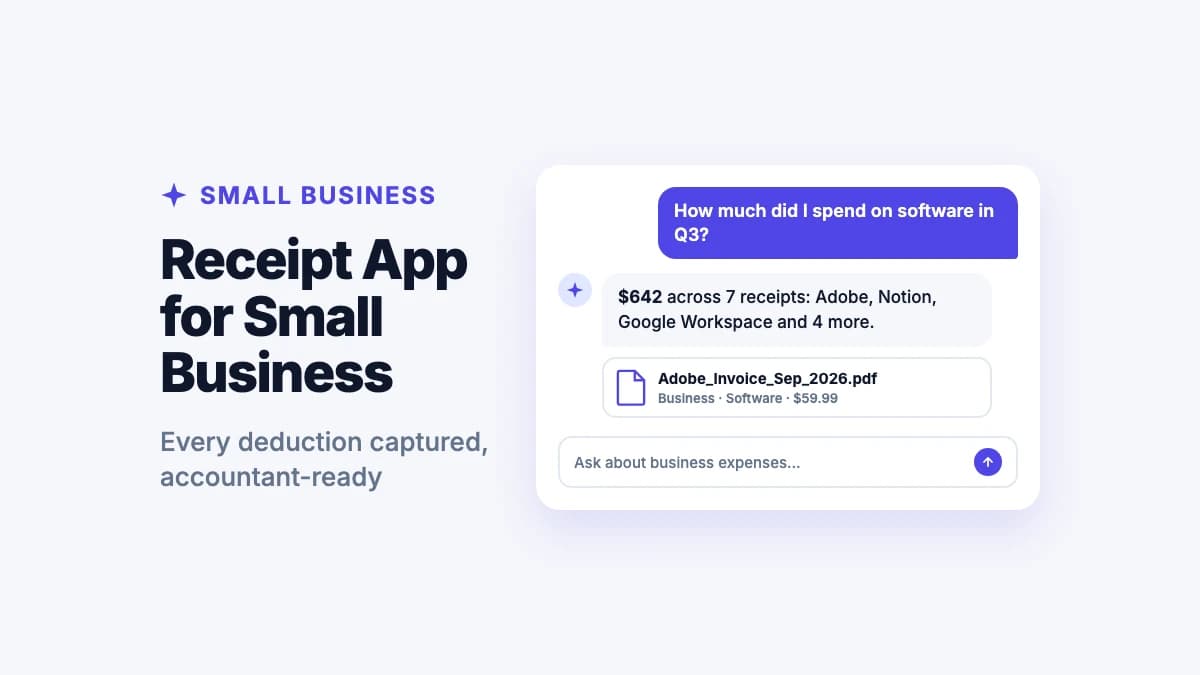
Software subscriptions, a client lunch, printer ink, a flight, a new laptop. Every one of those receipts is a possible deduction, and every one you lose is money you effectively pay twice. For most small business owners and freelancers, the problem isn't knowing the rules. It's having the receipts when the accountant asks.
The short answer: the best receipt app for a small business is one that captures every receipt and invoice the moment it arrives, sorts it into expense categories, and gives you totals at tax time without a spreadsheet. Filex AI does that: scan or forward receipts, and it reads the vendor, amount and date, files them by category, and answers questions like "how much did I spend on software in Q3?". If your books already run on QuickBooks, its receipt capture is worth using too.
A note on fairness: Filex AI is our app. We say below when accounting software or a bookkeeping service is the better fit.
This guide covers what to keep, how to set it up, and which app suits which kind of business.
What receipts a small business should keep
Keep receipts and records for anything you'll deduct or need to prove:
- Supplies and equipment: office supplies, tools, computers, phones
- Software and subscriptions: SaaS tools, hosting, domains
- Travel: flights, hotels, car rental, rideshares, parking
- Meals with clients or while traveling (and who was there, and why)
- Home office costs, if you qualify: a share of rent, utilities and internet
- Vehicle expenses and mileage logs
- Contractors and vendors: their invoices and your payments
- Marketing: ads, printing, sponsorships
- Professional fees: accountant, legal, insurance
A bank or card statement shows you paid, but a receipt or invoice shows what you bought. Keep both.
How long to keep business receipts
The IRS generally says to keep records that support your tax return for 3 years from when you filed. It's 6 years if you under-reported income by more than 25%, 7 years for bad debt or worthless securities, and 4 years for employment tax records. Assets like equipment should be kept until the period of limitations ends for the year you dispose of them. See the IRS guidance, and follow your accountant's advice for your business.
Digital copies make long retention easy: they don't fade, and they take no shelf space.
Step 1: Separate business from personal
Use a dedicated business card or account for business spending. It's the simplest way to keep receipts clean, and it makes your statements back up your receipts.
In Filex AI, keep business receipts in a Business folder (or a Lens like "Business 2026") so personal receipts never mix in.
Step 2: Use categories that match your tax forms
Sort receipts into the same categories you'll report. For many US sole proprietors that's close to the Schedule C expense lines:
| Category | Examples |
|---|---|
| Advertising | Ads, printing, sponsorships |
| Car and truck | Fuel, repairs, parking (or mileage) |
| Contract labor | Freelancer and contractor invoices |
| Office expense | Supplies, postage, small equipment |
| Software & subscriptions | SaaS, hosting, domains |
| Travel | Flights, hotels, transport |
| Meals | Client and travel meals |
| Utilities / home office | Internet, phone, home office share |
| Legal & professional | Accountant, lawyer |
| Insurance | Business insurance |
Your accountant may prefer slightly different categories. Agree on them once, then use them all year.
Capture every business receipt in seconds
Scan or share receipts and invoices; Filex AI reads the vendor, amount and date and files them by category. Your first 10 files are free.
Download Filex AIStep 3: Capture every receipt the day it happens
- Paper receipts: scan them on the spot. Filex AI reads the vendor, amount and date and files the receipt immediately, so the paper can go.
- Email receipts and invoices: share the PDF to Filex AI, or forward them in a weekly batch.
- Vendor invoices: save each invoice as it arrives; Filex reads the invoice number, amount and due date.
- Online platforms (Amazon, Google, Adobe): download receipts or invoices monthly.
The habit that matters most is capturing receipts the same day. A five-second scan now beats a lost deduction in April.
Keeping mileage with your receipts
If you drive for work, the IRS expects a record of business miles: the date, where you went, why, and how far. Keep your mileage log (a notebook photo, a spreadsheet export or your mileage app's report) together with fuel, parking and toll receipts.
Filex AI reads these documents like any other, including the mileage written in them. Save your logs and trip records, and ask "how many business miles did I drive in Q3?" or "show my parking and toll receipts for September" to get the answer from your own records.
Step 4: Review monthly, total quarterly
Monthly (10 minutes): check your card statement for any charge without a receipt and capture the missing ones.
Quarterly: total your expenses by category, which also helps with estimated tax payments if you pay them. With Filex AI, ask:
- "How much did I spend on software in Q3?"
- "What were my travel expenses this quarter?"
- "Show me all contractor invoices from July to September."
"How much did I spend on software in Q3?"
Ask Filex AI and get quarterly totals by category or vendor from your saved receipts.
Try Filex AI FreeStep 5: Hand off to your accountant
At year end:
- Open your Business folder or Lens for the year.
- Download receipts by category as PDFs, or share the folder.
- Include a short summary of totals by category.
Your accountant gets organized records instead of a shoebox, and you get a smaller bill.
Which receipt app fits your business?
| If you… | Use |
|---|---|
| Want every receipt and invoice captured, categorized and searchable, with spending answers | Filex AI |
| Already do your books in QuickBooks | QuickBooks receipt capture (and Filex AI for everything else) |
| Have employees submitting expenses | Expensify |
| Work with a bookkeeper who wants data published to your books | Dext |
| Have a large paper backlog to send off | Shoeboxed |
For a wider comparison, see the best receipt apps.
How Filex AI handles small business receipts
Filex AI is built for capturing and finding business paperwork:
- Capture anything: paper receipts with the built-in scanner, email receipts and invoices, PDFs from any app, on iPhone, Android and the web.
- Reads the details: vendor, amount, date, invoice number and due date.
- Files by category automatically, following custom rules you set (for example "put Adobe and Notion under Software").
- Answers spending questions by category, vendor or quarter.
- Reminds you before vendor invoices are due and when warranties on equipment end (see how to keep track of warranties).
- Finds any document by what it says: "the hotel invoice from the Denver trip".
- Exports as PDF for your accountant.
Your first 10 files are free. Organizing tax paperwork more broadly? See the tax document organizer.
Accountant-ready receipts, all year
Capture, categorize and find every business receipt and invoice on iPhone, Android and the web.
Get Filex AIStop losing deductions
Every receipt you capture is money you keep. Separate business spending, capture receipts the day they happen, sort them into your tax categories, and let Filex AI do the reading, filing and adding up. When your accountant asks, the answer is one folder away.
