
The dishwasher stops working. Is it still under warranty? When did you buy it? Where's the receipt? Without answers, most people pay for a repair that should have been free.
The short answer: to keep track of warranties, save the receipt for every big purchase, note when each warranty ends, and set a reminder before it does. The easiest way is Filex AI: save or scan the receipt and Filex pulls the warranty end date, including for Apple devices, and reminds you before it ends, with the receipt ready for your claim.
Below: how to check an Apple warranty, what to keep for any product, how to track end dates, and how to make a claim.
How to check your Apple warranty
Apple gives you two quick ways to see if an iPhone, iPad, Mac, Apple Watch or AirPods are covered (Apple Support):
On your iPhone or iPad:
- Open Settings, then General.
- Tap AppleCare & Warranty.
- Tap your device to see what's covered and when coverage ends. Other devices signed in to your Apple Account, like an Apple Watch or AirPods, can appear here too.
On the web:
- Find the serial number (Settings, General, About on iPhone; or on the box or receipt).
- Go to checkcoverage.apple.com and enter it.
You can also sign in at mysupport.apple.com to see your devices. Menu names can vary slightly between iOS versions.
Apple's check shows the coverage Apple knows about. Keep the receipt anyway: it proves the purchase date and where you bought it, which matters for store warranties, extended plans and claims.
How to check warranties for other brands
- Samsung, Sony, LG, Dell, HP and others: most have a warranty or support page where you enter the serial or model number. Registering the product when you buy it makes this easier.
- Appliances: the serial number is usually on a sticker inside the door or on the back. The warranty starts on the purchase or delivery date on your receipt.
- Store and extended warranties (Best Buy, Costco, credit card extended coverage): these depend on your receipt and plan documents, so keep them together.
Save the receipt, Filex tracks the warranty
Filex AI pulls warranty end dates from your receipts, including Apple devices, and reminds you before coverage ends. Your first 10 files are free.
Download Filex AIWhat to keep for every warranty
For anything with a warranty, keep these together:
- The receipt or invoice: proof of the purchase date, price and store.
- The warranty terms: the card, PDF or page that says how long and what's covered.
- The serial and model number: a photo of the sticker is enough.
- Any extended plan: AppleCare+, store protection plans or credit card coverage.
A paper warranty card in a kitchen drawer is easy to lose. A photo or scan isn't.
How to track warranty end dates
By hand: make a simple list.
| Product | Bought | Store | Warranty ends | Extended plan? | Receipt saved? |
|---|---|---|---|---|---|
| MacBook Air | Jun 4, 2026 | Apple Store | Jun 4, 2027 | Yes | |
| Samsung TV | Mar 12, 2025 | Best Buy | Mar 12, 2027 | Store plan | Yes |
| Dishwasher | Jan 20, 2025 | Home Depot | Jan 20, 2026 | Yes |
Add a calendar reminder a month before each end date, so there's time to get anything looked at while it's still covered.
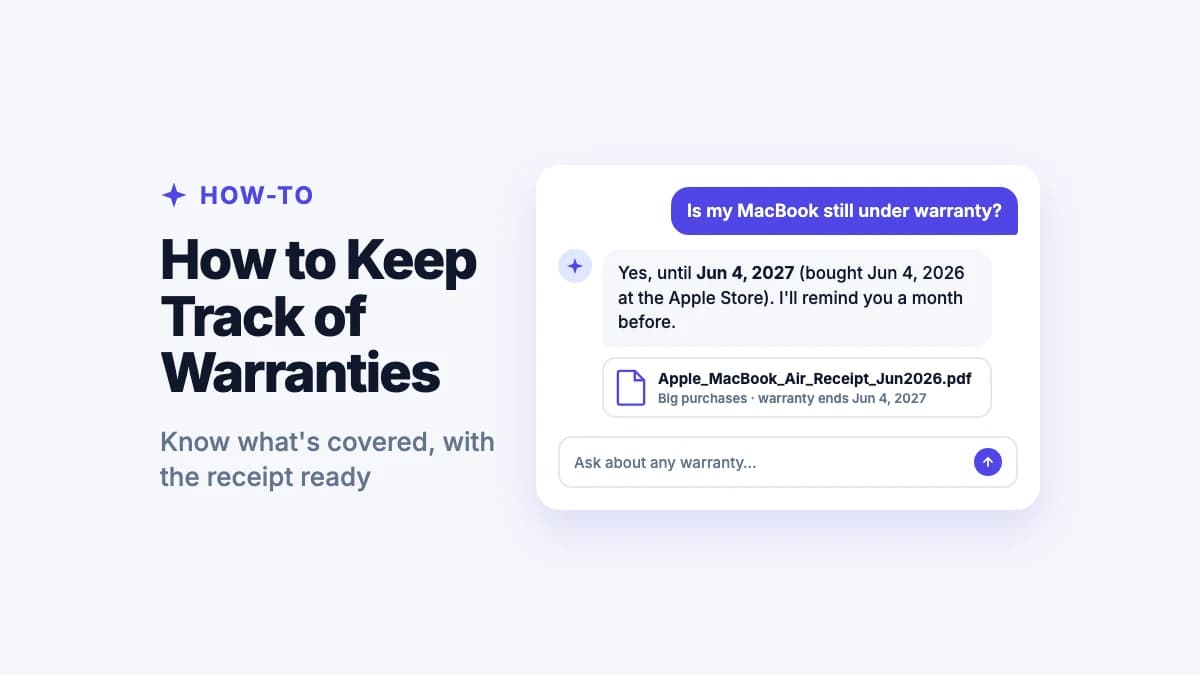
With Filex AI: save or scan the receipt and Filex does the list for you. It reads the purchase date and store, pulls the warranty end date (including Apple devices), files the receipt under Big purchases, and reminds you before the warranty ends. Ask "is my MacBook still under warranty?" or "which warranties end this year?" and get the answer with the receipt attached.
"Is my MacBook still under warranty?"
Ask Filex AI and get the end date with the receipt attached.
Try Filex AI FreeHow to make a warranty claim
- Check you're covered: Apple's coverage page, the brand's site, or Filex AI.
- Find the receipt and serial number. In Filex, search "dishwasher receipt" or open Big purchases.
- Contact the right place: the manufacturer for a manufacturer's warranty, the store for a store plan, your card issuer for extended card coverage.
- Describe the problem clearly and share photos or a short video if you can.
- Keep copies of every email and repair record with the receipt.
Don't forget extended warranties
Extended plans and credit card protection are easy to forget because nothing reminds you they exist. When you buy one, save the plan documents with the receipt. Filex AI keeps them together and reminds you before the extended coverage ends too.
Track warranties automatically with Filex AI
Filex AI turns receipts into a warranty tracker:
- Save receipts any way: scan paper, share email receipts and PDFs, or import photos.
- Warranty end dates pulled automatically, including Apple devices.
- Reminders before coverage ends, so you can get things checked in time.
- Receipt ready for the claim, findable by what it says.
- Everything in one place with your other receipts, bills and documents, on iPhone, Android and the web.
Your first 10 files are free. Prefer to start in the browser? Try the free warranty tracker. Organizing all your receipts? See how to organize receipts.
Your warranty tracker, built from your receipts
Every warranty tracked, reminded and ready to claim, on iPhone, Android and the web.
Get Filex AINever pay for a covered repair again
Warranties only help if you know they exist and can prove the purchase. Save the receipt, note the end date, and let Filex AI remind you in time. The next time something breaks, you'll know in seconds whether it's covered, with the receipt ready to show.
