
The Files app that comes with your iPhone can show you your files. It can't tell you which one is the electricity bill, rename the twenty files called document (3).pdf, or put anything in order. So you go looking for a better file manager, and the App Store gives you dozens that look the same.
The short answer: the best file manager for most iPhone users is Filex AI, the Files app alternative that organizes for you. It renames every document from what's inside, files it in the right folder, and finds it when you describe it. Keep the free Files app for browsing, and add FE File Explorer or Owlfiles only if you need network drives.
Quick comparison
| App | Best for | Price | Organizes files for you? |
|---|---|---|---|
| Filex AI | Best overall, Files app alternative | First 10 files free, then Pro | Yes: renames, files and finds by content |
| Apple Files | Browsing iCloud Drive, free | Free, built in | No |
| Documents by Readdle | Downloads, ZIPs, media | Free, optional subscription | No |
| FE File Explorer | Network drives and NAS | One-time purchase | No |
| Owlfiles | Network and cloud on a budget | Free, optional Pro | No (batch renaming in Pro) |
| Google Drive / OneDrive | Work files you share | Free tier, paid storage | No |
The Files app alternative that organizes for you
Filex AI renames every document from what's inside, files it, and finds it when you describe it. Your first 10 files are free.
Download Filex AIFile manager vs file organizer: what's the difference?
A file manager shows your files and lets you move, rename, unzip and share them yourself. Every app on this list does that.
A file organizer does the sorting for you: it reads each file, works out what it is, gives it a clear name and puts it in the right place, so you can find it later without remembering where it went.
On iPhone, most "file manager" searches come from people who are tired of doing the organizing themselves on a small keyboard. That's why Filex AI is our top pick: it's the only one here that does the organizing.
How we compared them
For each app we looked at:
- Price: free, one-time purchase or subscription
- Where it reaches: iCloud Drive, cloud drives, network drives (SMB, FTP, WebDAV)
- Formats: PDFs, Office files, ZIPs, media
- Search: file names only, or what's inside the file
- Organizing: does it sort and name files for you, or only show them?
1. Filex AI: best overall and the best Files app alternative
Filex AI is built for the part every other file manager leaves to you: keeping documents named, filed and findable.
What it does:
- Renames files from their content.
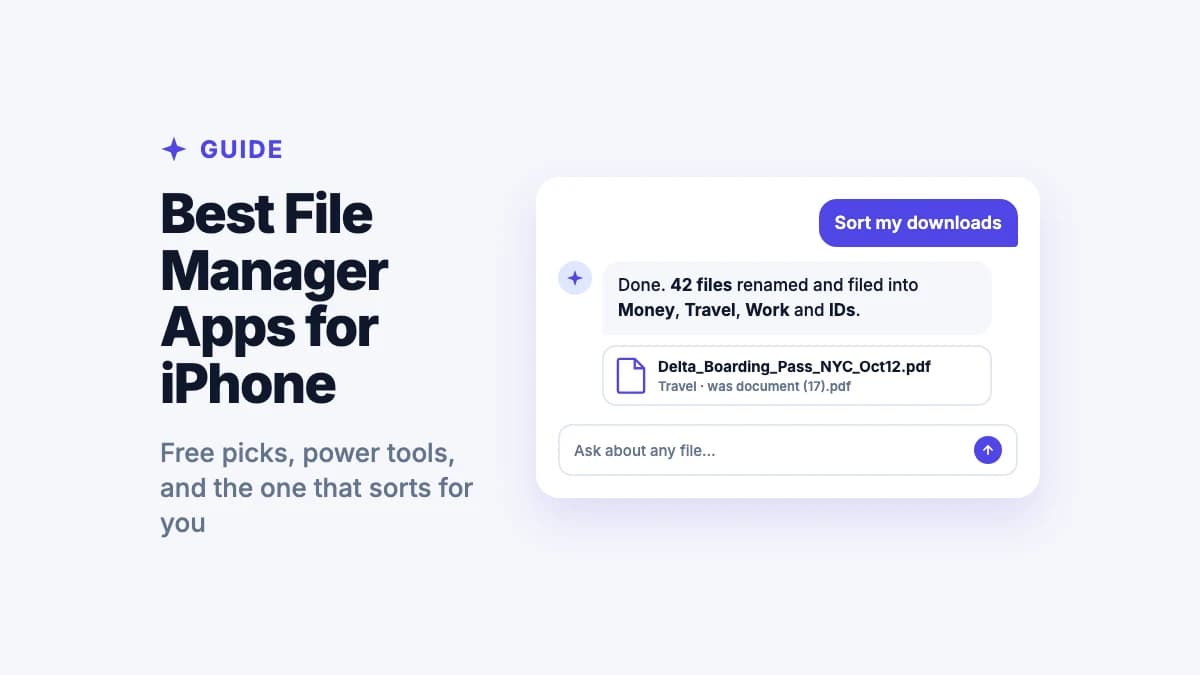
document (17).pdfbecomesDelta_Boarding_Pass_NYC_Oct12.pdf. - Files them automatically into folders like Money, Travel, Work and IDs, following custom rules if you want them.
- Reads everything, scans included. OCR reads PDFs, screenshots, photos of paper and handwriting, print or cursive.
- Finds files by what's inside. Type "warranty for the fridge" or ask "when does my lease renew?" and get the document.
- AI Lenses: collections like "tax season" or "Japan trip" that fill themselves, with one file in several places and no copies.
- Smart reminders before IDs, insurance and leases expire.
- Built-in document scanner, Share Sheet saving from any app, and import from Files, iCloud Drive and Google Drive.
- Works on iPhone, Android and the web, with the same library everywhere.
Price: your first 10 files are free; Pro is $7.99 a month for 500 files or $44.99 a year.
Best for: anyone whose iPhone is full of PDFs, screenshots, scans and downloads with useless names, who wants them sorted without doing it by hand.
Good to know: Filex AI is a document organizer, not a network-drive client. If you need to reach a NAS or a PC on your Wi-Fi, pair it with FE File Explorer or Owlfiles.
2. Apple Files: best free built-in option
The Files app is already on your iPhone and does the basics well.
Strengths:
- Free, no ads, built into iOS
- Shows iCloud Drive, On My iPhone and connected apps (Google Drive, Dropbox, OneDrive) in one place
- Connects to servers and network shares
- Opens ZIP files, scans documents and lets you add tags
Limits: it never renames or sorts anything for you, scans save as "Scanned Document", and search matches file names, so files you can't name are hard to find. For how it works and where your files are, see Files app vs Filex AI.
Best for: browsing iCloud Drive and as the system file picker. Keep it alongside Filex AI.
3. Documents by Readdle: best for downloads and media
Documents is a long-running file manager from Readdle with a built-in web browser.
Strengths:
- Download files from the web straight into the app
- Opens ZIP and RAR archives
- Plays music and video, views PDFs and Office files
- Connects to cloud storage and WebDAV
Price: free to use, with an optional Documents Plus subscription for extra features.
Limits: all organizing is manual: you create the folders and name the files.
Best for: people who download a lot of files and media on their phone.
4. FE File Explorer: best for network drives and NAS
FE File Explorer is the specialist for reaching computers and storage on your network.
Strengths:
- Connects to Mac, Windows and Linux shares and NAS drives over SMB, plus FTP, SFTP and WebDAV
- Finds computers and NAS drives on your network automatically
- Streams video and music from network shares, with AirPlay
- Connects to Google Drive, Dropbox, OneDrive and Box, and works with the Files app
Price: a one-time purchase (FE File Explorer Pro).
Limits: it moves files around; it doesn't read, rename or sort them.
Best for: anyone with a NAS or a home server.
5. Owlfiles: best for network and cloud on a budget
Owlfiles (from the makers of FE File Explorer) covers network drives and many cloud services in a free app.
Strengths:
- SMB, NFS, WebDAV, FTP and SFTP connections
- Google Drive, OneDrive, Dropbox, Box, Amazon S3 and Mega
- Sync between your iPhone and a computer, NAS or cloud
- Pro adds unlimited connections and batch renaming
Price: free, with an optional Pro subscription.
Limits: batch renaming uses patterns you set, not the file's content; no automatic sorting.
Best for: people who want network access without a paid app.
6. Google Drive and Microsoft OneDrive: best for shared work files
If your work lives in Google Workspace or Microsoft 365, their apps are the easiest way to open, edit and share those files on your iPhone. OneDrive pairs with the Word, Excel and PowerPoint apps for editing; Google Drive works with Docs and Sheets. Both also show up inside the Files app.
Limits: they store and share files; you still name and sort everything yourself, and search works best on files created in their own apps.
Best for: team files you edit with colleagues. For your own documents, receipts and scans, use Filex AI.
Stop renaming files on a phone keyboard
Share your downloads, PDFs and scans to Filex AI and get them back named, sorted and searchable.
Try Filex AI FreeWhich iPhone file app should you choose?
- You want your files named, sorted and easy to find: Filex AI.
- You just need to browse iCloud Drive: the free Files app is enough.
- You download lots of files and media: add Documents by Readdle.
- You have a NAS or home server: add FE File Explorer, or Owlfiles for free.
- You edit shared work files: Google Drive or OneDrive.
For most people the answer is two apps: Filex AI to keep documents organized and findable, and the Files app for browsing.
Is it safe to let a file app access my files?
On iPhone, apps can only see the files and folders you choose to share with them, so you stay in control. Before you trust any app with personal documents, check that it encrypts your files, says who processes them, and lets you delete everything.
Filex AI encrypts files in transit and at rest, does not sell your data, and lets you delete files at any time. Read more in our privacy policy.
Let your iPhone files organize themselves
Smart renaming, auto filing, search by content, reminders and a built-in scanner, on iPhone, Android and the web.
Get Filex AI for iPhoneConclusion
Most file managers make the mess easier to look at. Filex AI makes it go away: every document renamed, filed and searchable by what's inside, with reminders before anything expires. Keep the Files app for browsing, add a network-drive app only if you need one, and let Filex AI do the organizing. Your first 10 files are free.
New to saving documents on your phone? Start with how to save documents on iPhone, or see how to organize iPhone files automatically.
