

Your screenshots are saved in a different place on every device. On iPhone they go to the Photos app, in the Screenshots album. On Android they go to a Screenshots folder (usually Pictures/Screenshots, or DCIM/Screenshots on Samsung). On a Mac they land on the Desktop, and on Windows in Pictures\Screenshots.
Below is exactly where to look on each device, what to check when a screenshot seems to have vanished, and how to find one by what was in it.
Where Are Screenshots Saved on iPhone?
Every screenshot you take on iPhone or iPad is saved to the Photos app, mixed in with your photos. Apple also collects them in one album:
- Open Photos.
- Scroll to Collections (on older iOS versions, tap Albums).
- Under Media Types, tap Screenshots.
If iCloud Photos is turned on, the same screenshots also appear on your other Apple devices and at icloud.com.
Full-page screenshots from Safari are different. When you choose Full Page after taking a screenshot of a web page, it is saved as a PDF in the Files app, not in Photos.
Once you've found them, here is how to organize screenshots on iPhone.
Where Are Screenshots Saved on Android?
Most Android phones save screenshots to a folder named Screenshots in one of two places:
- Pictures/Screenshots on Pixel and many other phones
- DCIM/Screenshots on many Samsung, Xiaomi and older phones
To open them:
- Google Photos: tap Library, then Screenshots under Photos on device.
- Files by Google: tap Browse, then Images, then Screenshots.
- Pixel 9 and later: the Pixel Screenshots app also keeps them in one place.
Where Are Screenshots Saved on Samsung Galaxy?
On Samsung phones, screenshots are usually in DCIM/Screenshots.
- Gallery app: tap Albums, then Screenshots.
- My Files app: go to Internal storage, then DCIM, then Screenshots.
Screen recordings sit in their own Screen recordings album, not with your screenshots.
Where Are Screenshots Saved on Mac?
A Mac saves screenshots to the Desktop by default, with names like "Screenshot 2026-10-18 at 9.41.12 AM.png".
To check or change where they go:
- Press Shift-Command-5 to open the screenshot toolbar.
- Click Options. The ticked folder under Save to is where your screenshots are going.
- Pick a different folder, such as Documents or a new Screenshots folder, to keep your Desktop clear.
If you add Control to the shortcut (for example Control-Shift-Command-4), the screenshot is copied to the clipboard instead of being saved as a file. That is a common reason a Mac screenshot "disappears".
Where Are Screenshots Saved on Windows?
It depends on how you took it:
| How you took it | Where it goes |
|---|---|
| Windows key + Print Screen | Pictures\Screenshots |
| Windows key + Shift + S (Snipping Tool) | Pictures\Screenshots on Windows 11, if automatic saving is on in Snipping Tool settings |
| Print Screen on its own | Depending on your settings, opens Snipping Tool or copies the screen to the clipboard |
| Windows key + Alt + Print Screen (Xbox Game Bar) | Videos\Captures |
If OneDrive backs up your Pictures folder, look in OneDrive\Pictures\Screenshots instead.
Where Are Screenshots Saved on Chromebook?
ChromeOS saves screenshots to the Downloads folder by default. Open the Files app and go to Downloads. You can change the folder from the screen capture toolbar's settings.
Find any screenshot by describing it
Filex AI reads every screenshot, so you can ask for what you remember instead of scrolling.
Try Filex AI FreeCan't Find a Screenshot You Took? Check These
If a screenshot is not where it should be, work through this list:
- It was deleted. Check Recently Deleted in Photos on iPhone, the Trash in Google Photos, or the Recycle bin in Samsung Gallery. Deleted items stay there for a limited time, usually about 30 days.
- It is hidden. On iPhone, look in the Hidden album under Utilities.
- It only went to the clipboard. On Mac (with Control) and some Windows setups, the screenshot was copied, not saved. Paste it into a document or message to recover it, if you have not copied anything since.
- It was saved somewhere else. Mac screenshot settings, OneDrive on Windows, or a full-page Safari capture saved as a PDF in Files can all change the location.
- It is on another device. If you use iCloud Photos or Google Photos, check the web version or your other devices.
How to Find a Screenshot by What Was in It
Knowing the folder only helps so much when it holds 3,000 screenshots. Most of the time you remember what the screenshot showed, not when you took it. A few ways to search by content:
- iPhone: type a word you remember into the Photos search bar. Live Text lets Photos find screenshots containing that word.
- Android: Google Photos can find many screenshots by a word in them.
- Mac: Spotlight on recent versions of macOS can find some images by their text.
- Any computer: the free screenshot search tool finds text inside screenshots in your browser, with nothing to install.
These work well when you remember an exact word. When you only remember the gist, such as "the hotel Wi-Fi password" or "the Lisbon boarding pass", an AI screenshot organizer does better. Filex AI reads every screenshot, files it under a topic like Receipts, Tickets or Chats, and lets you ask for it in your own words.
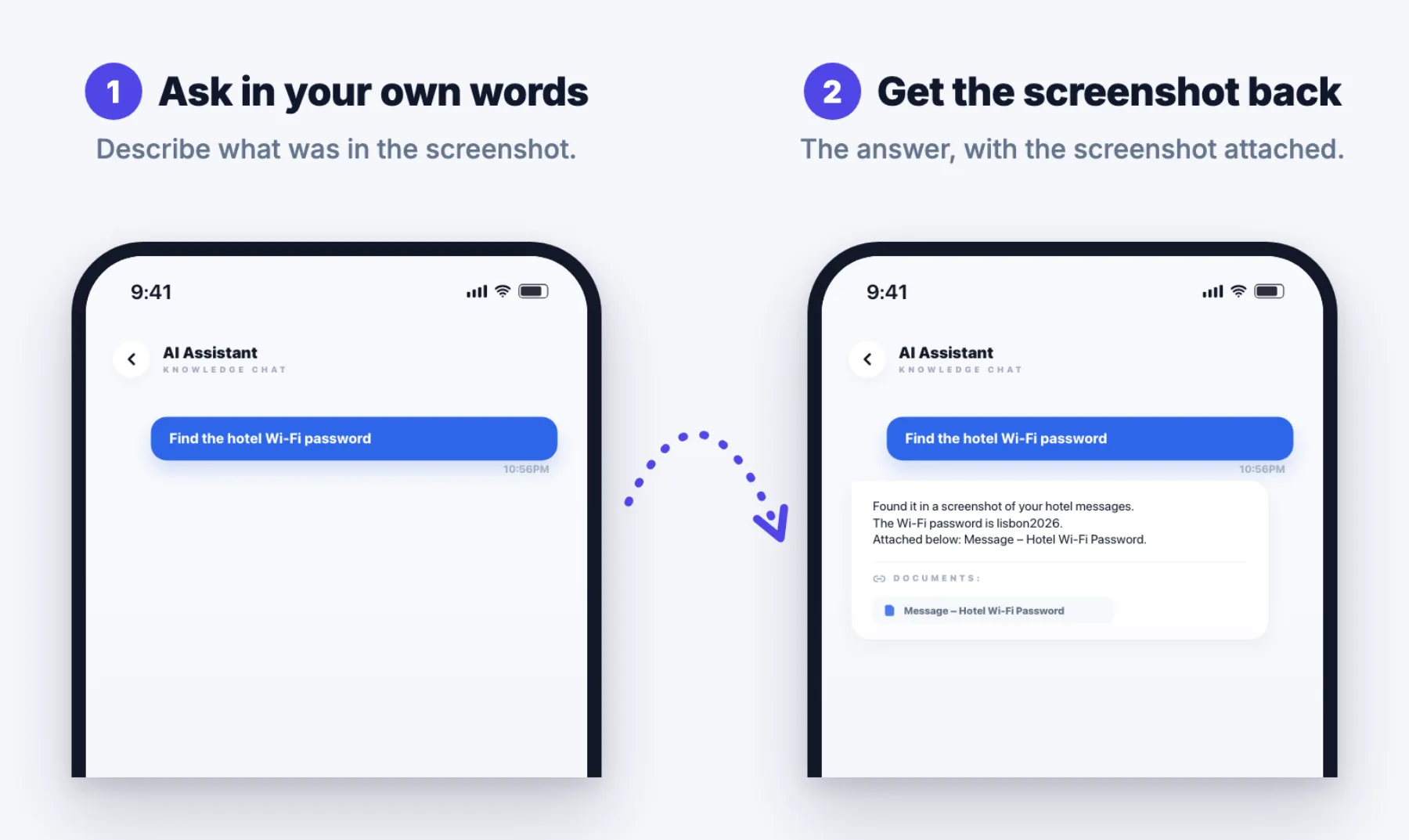
Because Filex AI works on iPhone, Android and the web, a screenshot taken on your phone can be found from your laptop, and the other way round.
Keep Your Screenshots Easy to Find
A few habits stop the problem coming back:
- Change the Mac save folder away from the Desktop (Shift-Command-5, then Options).
- Stop chat apps saving every image. WhatsApp can fill your gallery on its own; see how to organize WhatsApp screenshots.
- Clear the obvious ones weekly. Accidental and duplicate screenshots are easy to spot the same week.
- Sort the backlog once. Our guide to organizing screenshots on Android covers the free options and the automatic one.
Stop hunting through folders
Organize your screenshots automatically on iPhone, Android and the web.
Get Filex AIConclusion
Screenshots live in the Photos app on iPhone, a Screenshots folder on Android and Samsung, the Desktop on Mac, Pictures\Screenshots on Windows and Downloads on Chromebook. If one is missing, check Recently Deleted, hidden albums, the clipboard and your save settings.
To stop hunting through folders altogether, use a screenshot organizer app that reads your screenshots and lets you find any one by describing it.