How to Organize Thousands of Images Without Creating Folders (AI Guide)
Drowning in a sea of IMG_9482.jpg files? Learn how to organize thousands of images without creating a single folder using AI semantic search and dynamic lenses.
Filex AI reads the content of every image, product photos, design assets, camera exports, scanned pictures, then groups them by subject, extracts what matters, and makes your whole library searchable in plain English. No manual tagging, no folder structure to maintain by hand.
No credit card required ยท Free plan included
Watch a real image library workflow. Thousands of unsorted images become searchable and organized by subject in seconds.
The Problem
Product photos, design exports, and camera imports pile up faster than anyone can rename or tag them by hand.
Camera exports, design tool downloads, and scanned pictures pile up with generic names like "IMG_4821.jpg" and no shared structure.
Finding one specific image means scrolling through a grid of visually similar thumbnails, hoping to recognize the right one on sight.
The same photo gets exported, re-saved, and re-uploaded from different tools, quietly multiplying storage use with no easy way to tell copies apart.
Tagging images by hand works for the first hundred, then falls behind permanently once the library grows past what one person can maintain.
How it works
From an untagged image dump to a searchable library in minutes.
Import your camera roll, design exports, or product photo folders from desktop, phone, or cloud storage. Any format, any filename.
Filex AI analyzes the visual content and any embedded text in every image, then groups and renames them automatically.
Search your entire image library in plain English on web, iPhone, or Android. Every device stays in sync.
Features
Built for anyone whose photo or image library has outgrown manual folders and tags.
Filex AI reads the visual content of every image, subject, setting, visible text, and groups related images together automatically.
Create collections in natural language, like "everything from the spring campaign" or "all logo files". One image can live in multiple lenses at once without duplication.
Ask "find every product photo with a red background" and get the exact images in seconds, searching visual content and extracted text together.
Turns "IMG_4821.jpg" into "2026-03_Product-A-Red-Background.jpg" using content, subject, and context extracted automatically.
Any visible text inside an image, labels, signage, scanned pages, becomes fully searchable content, not just pixels.
Near-identical exports and re-saved copies are identified automatically, making it easy to see what is actually a duplicate.
Dates, campaign names, and other structured details hidden inside your images are pulled out and turned into searchable data.
Images organized on one device are instantly available on the web and on any other device you use.
Scan physical photos and printed images directly into your organized library from your phone camera.
Your images are encrypted in transit and at rest, never used to train public AI models.
The Filex AI document scanner reads, names, and files whatever you point your camera at โ with the same Images & Photo Libraries organization applied automatically.
Before and after
Filex AI reads the content of every image, like subject, setting, and visible text, and builds the structure for you.
Before
After: organized by Filex AI
๐ท Product Photography
๐จ Brand Assets
From export_final_v2.jpg. No manual data entry, ever.
๐ท Type
Product Photo
๐จ Background
Red, studio
๐ Date Captured
14 Mar 2026
๐ท๏ธ Campaign
Spring 2026
๐ Text extracted
Yes, via OCR
Auto Organization
Drop in product photos, design exports, and camera imports, tell Filex AI how you want them grouped, and let AI understand, rename, and organize them instantly. It reads visual content โ not just filenames โ and follows your custom rule every time.
Custom organization rule

Document Scanner
Point your camera at a printed photo, a product sample, or a physical design proof. Filex AI reads it, tags it clearly, and files it into the same searchable library as your digital images.
Tap scan and point your camera
Open Filex AI, tap scan, and point your camera at any printed photo or physical image. Then tap organize. That is the whole job.
AI reads the image
Content analysis extracts what the image actually shows: the subject, any visible text, the context.
It files itself
The scan lands in the collection that fits it, tagged and filed by content โ not "scan0007.png".
Find it by asking
Weeks later, just type "find the printed proof from the spring shoot" โ scans and digital images both show up. It is already indexed, tagged, and linked.
Browser Extension
Save and organize images with AI as you find them online. Every image you capture and every file you download gets tagged by what it actually shows, and synced to your library automatically โ without leaving the tab.

Use cases
โFind every product photo with a red backgroundโ
โShow all images from the Riverside shootโ
โWhich images have people in them?โ
โFind the logo file with a transparent backgroundโ
โShow every photo taken in Marchโ
โFind the scanned image of the signed formโ
โWhich images are duplicates of each other?โ
โShow all images tagged for the spring campaignโ
Smart Grouping & Lenses
Describe a group once โ Filex AI keeps it live and up to date automatically.
โGroup all product photos by campaignโ
โGroup images by background colorโ
โCreate a Lens for logo files with transparent backgroundsโ
โGroup duplicate and near-duplicate imagesโ
โGroup all images from this quarterโ
โCreate a Lens for brand assetsโ
โGroup scanned photos by subjectโ
โCreate a Lens for images ready to publishโ
Available Everywhere
Scan documents, organize files, and search by content on the go. Available on iOS and iPadOS.
Get the appScan documents, organize files, and search by content on the go. Available on Android.
Get the appFull-featured workspace in your browser. Organize, search, share, and manage files from anywhere.
Get startedAI file management directly inside Google Drive, OneDrive, and Dropbox. No tab switching.
Add to ChromeComparison
Everything you would tag and file by hand today, Filex AI does automatically the moment an image is uploaded.
Capability
Filex AI
Manual folders
Auto-organize by subject
Images grouped by visual content and context automatically
OCR text extraction
Text visible inside any image becomes fully searchable
Natural language search
Type "find the product photo with a red background" and get exact results
AI Lenses collections
One image can live in many collections at once, with no duplication
Duplicate detection
Near-identical exports and re-saves are flagged automatically
Entity extraction
Dates, campaign names, and labels pulled out of images automatically
Cross-device sync
Web, iPhone, and Android stay in sync in real time
Encrypted and private
Files encrypted in transit and at rest, never used to train public models
Start free. Upgrade only when you need more power.
Start organizing smarter with AI-powered file management.
Ideal for professionals who organise files, notes, and projects every day.
Your files are protected using modern security and privacy best practices
All files and related metadata are encrypted both in transit and at rest using industry-standard encryption methods.
Designed in line with GDPR principles including data minimisation, purpose limitation, and user-controlled access.
Files are processed only during the organisation workflow. Once organisation is completed, files are no longer accessed or processed.
Only you can access your files. We do not sell user data, and files are never used for model training or secondary purposes.
Data is stored on hardened cloud infrastructure with strict access controls, auditing, and continuous monitoring.
Security controls follow least-privilege access, secure key management, and proactive risk mitigation practices.
Guides & resources
Deep dives on organizing photo libraries, extracting text from images, and searching with AI.

Drowning in a sea of IMG_9482.jpg files? Learn how to organize thousands of images without creating a single folder using AI semantic search and dynamic lenses.

Compare traditional photo organization with AI photo organization and learn how Filex AI helps you sort, search, and retrieve receipts, screenshots, documents, and utility photos instantly.

Learn how to organize thousands of photos automatically using AI, OCR, computer vision, natural language search, duplicate cleanup, AI Lenses, and Filex AI.

Filex AI finds any photo in seconds using OCR and natural language search, matching receipts, screenshots, boarding passes, and visual notes by content โ here's how AI photo search actually works.

Learn how AI screenshot management uses OCR, computer vision, natural language search, smart categories, and Filex AI Lenses to organize and find screenshots instantly.

Learn how to organize WhatsApp screenshots automatically using OCR, AI categorization, natural language search, smart reminders, AI Lenses, cross-device sync, and Filex AI.
Join thousands who've revolutionized their file management
Iโm a property agent and deal with floor plans, contracts, and client documents every day. This made my files much easier to manage without manual sorting.
As a property agent, Iโm constantly downloading agreements and brochures. Finding things quickly before client calls is way less stressful now.
Iโm a software developer and my Downloads folder was chaosโscreenshots, logs, random PDFs. This organised everything better than I expected.
I work in marketing and download a lot of decks and reports. This saved me during meetings when I needed files fast.
Iโm a college student and my notes and PDFs were always scattered. This helped me clean things up without thinking too much.
I was a bit worried about privacy at first, but it feels safe. I mostly use it for work documents and research files.
Complete guide
Tagging images by hand works fine for the first hundred files. Someone renames each export, sorts it into a folder, maybe adds a tag or two in a design tool. The moment a library grows past what one person can review in an afternoon, camera exports, product shoots, design iterations, screenshots of inspiration, that manual process stops scaling. New images keep arriving faster than anyone has time to tag them properly, and the backlog of "I will sort this later" images grows quietly in the background.
The deeper issue is that manual tagging depends entirely on a person remembering to apply the same categorization consistently, for every image, indefinitely. In practice almost nobody manages that across thousands of files. Some images get thorough descriptive names, others get whatever the export tool assigned by default, like "IMG_4821.jpg" or "export_final_v2.jpg", and within months the library becomes a mix of a few well-organized folders surrounded by an ever-growing pile of untagged exceptions.
Content-based organization removes the dependency on a person tagging correctly every time. Because Filex AI reads what is actually inside each image, the subject, the setting, any visible text, rather than relying on a filename or a manually applied tag, the ten-thousandth image in a growing library gets categorized with the same accuracy as the first one ever uploaded.
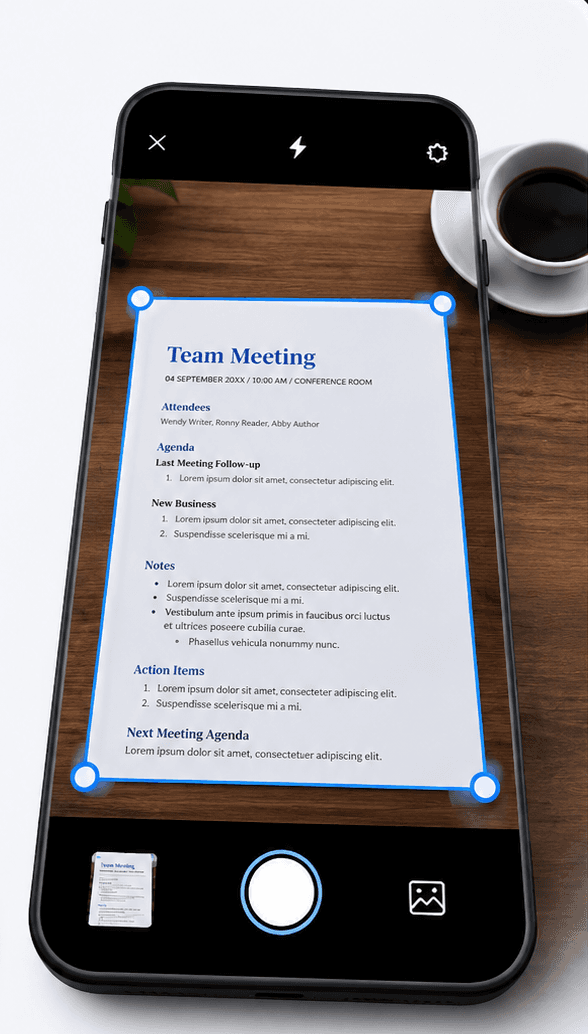
A file named "photo (3).jpeg" could be a product shot, a design mockup, a scanned document, or a personal photo, and a filename or file-type based system has no way to tell the difference. Filex AI analyzes the actual visual content of the image, the subject, the setting, colors and composition, along with any text visible inside it, to determine what the image actually shows before deciding where it belongs.
This matters most in libraries where the same generic file types recur constantly, product photography with slightly different backgrounds and angles, logo exports in different formats, screenshots of design inspiration. The only thing distinguishing one product photo from another might be the background color or the specific product in frame, details a filename never captures but visual content analysis reads directly.
Because this categorization works from the image content itself, it performs identically well on a camera export with a generic auto-generated filename and a design tool download with no filename convention at all. The signal was always inside the pixels, never in how the file happened to be named when it was saved.
Most image organization habits are built around what comes in going forward, keeping new exports tidy from this point on. That leaves the actual problem untouched: the years of accumulated, untagged images already sitting in a camera roll, a shared drive, or an old design archive, often numbering in the thousands.
Filex AI is built to process that entire backlog in a single pass, exactly as it currently exists. Upload the full library, mixed formats, mixed years, mixed sources, with no pre-sorting or renaming, and every image gets analyzed, tagged, and organized in the same run. The size or age of the backlog does not change how the process works, an image from years ago is read with the same accuracy as one uploaded this morning.
This matters because the backlog is usually where the real friction lives. Recent images are relatively easy to keep track of since they are still fresh in memory. It is the years of older, untagged images that make search and reuse genuinely difficult, and those are exactly what bulk AI organizing is built to make usable again.
Image libraries accumulate duplicates in a way most other file types do not. The same product photo gets exported at slightly different resolutions, re-saved after a minor edit, downloaded again from a shared link, and each version lands in the library as a separate file with no obvious link back to the original. Over time this quietly multiplies storage use and makes it harder to know which version of an image is the current one.
Filex AI identifies near-identical and duplicate images across a library as part of the same content analysis used for organizing, since recognizing that two files show the same subject in the same setting is a natural extension of reading what an image actually contains. This makes it possible to see, at a glance, where duplication exists rather than manually comparing thumbnails one by one.
Because every image is indexed and tagged before any cleanup decision is made, removing redundant copies becomes a much safer operation. The searchable record of what a duplicate contained persists independent of which specific file gets kept, so consolidating a library no longer carries the same risk of losing track of a version that mattered.
Solutions
AI File Management for Screenshots & Photos
Filex AI reads the text inside every screenshot and photo, then groups them by topic, extracts what matters, and makes them searchable in plain English. No albums to create. No manual sorting.
Screenshots
Automatically organize screenshots, screen captures, memes, and images by content using AI. Smart categorization, content-aware sorting, and instant access across devices. Free to start.
Images
Automatically organize images, photos, receipts, and scans by content using AI. Smart image naming, visual content detection, and instant search. Never lose a photo again.
Everything you need to know about using Filex AI
AI image management uses artificial intelligence to read the actual content of every image in a library, subject, visible text, and context, then automatically organizes, tags, and renames images so they can be found with natural language search instead of manual folders.
Filex AI analyzes the visual content and any embedded text in each image, identifies what it shows and its likely category, such as a product photo or design asset, and groups related images together automatically.
Yes. Filex AI reads the visual content of each image and extracts any visible text, so you can search by subject, background color, or specific text or labels that appear in the image, not just the filename.
Yes. Filex AI identifies near-identical and duplicate images across your library, which is common with repeated exports and re-saves, making it easier to see what is genuinely a copy before you clean up storage.
Yes. Using AI Lenses, a single image, like a product photo, can appear in both a "Spring Campaign" collection and a "Product Catalog" collection at the same time, with no duplicate files.
Yes. Filex AI is built to handle any image type, personal photos, product photography, design exports, scanned pictures, and logo files, using the same content-based organization for all of them.
Yes. All images are encrypted in transit and at rest on secure cloud infrastructure. Your images are private to your account, are never sold or shared, and are never used to train public AI models.
No. Upload your image library exactly as it currently exists, with no pre-sorting or tagging. The AI reads the content and handles the organizing, tagging, and renaming for you.
AI Lenses let you group images using natural language instead of folders or albums. You can create collections like "everything from the spring campaign" or "all logo files with transparent backgrounds", and a single image can appear in multiple lenses at once without duplication.
Yes. Upload an entire image library in one batch, and Filex AI reads and categorizes every image individually, regardless of how inconsistently the files were named or how many thousands of images are in the upload.
Yes. Filex AI is built to process an entire existing image library in one pass, reading and indexing every image regardless of how old it is or how disorganized the archive currently is.
Join teams and individuals who let AI organize their photo and image libraries. Free to start, no credit card required.