AI-Powered File Organization

Organize Client
Work with AI

Automatically organize contracts, invoices, project deliverables, proposals, and tax documents by client.

|

File sprawl is killing your productivity
โ€” and AI can't help without context.

Messy files mean missed deadlines, lost work, and frustrated teams.

2.5 hours

wasted daily searching & organizing files

File Chaos

60%

of work context is lost in scattered files

Lost Context

73%

of teams struggle with inconsistent file names

Naming Confusion

Everything you need to tame file chaos

Powerful features designed to save you hours every week

Key Feature
๐Ÿ—‚๏ธ

Client-Based Automatic Organization

AI reads your documents and groups everything by client automatically. Contracts, deliverables, briefs, and correspondence all land in the right client folder without lifting a finger.

Key Feature
๐Ÿงพ

Invoice & Payment Tracking

Never wonder which invoices have been paid or which are outstanding. AI organizes all your invoices chronologically by client, making it easy to track income and outstanding amounts.

๐Ÿ“‹

Smart Contract & NDA Extraction

AI understands legal documents and extracts key terms, parties, and dates from your contracts and NDAs so you can find the right agreement in seconds when you need it.

๐Ÿงฎ

Expense Sorting for Tax Season

Snap a photo of any receipt and AI automatically categorizes it as a business expense. When tax season arrives, export a clean, organized folder of deductibles in one click.

๐Ÿ”

Search Across All Clients Instantly

Find any file across every client project with a single search. Ask "Acme Corp NDA 2024" or "unpaid invoices February" and get results in under a second.

๐Ÿ“ธ

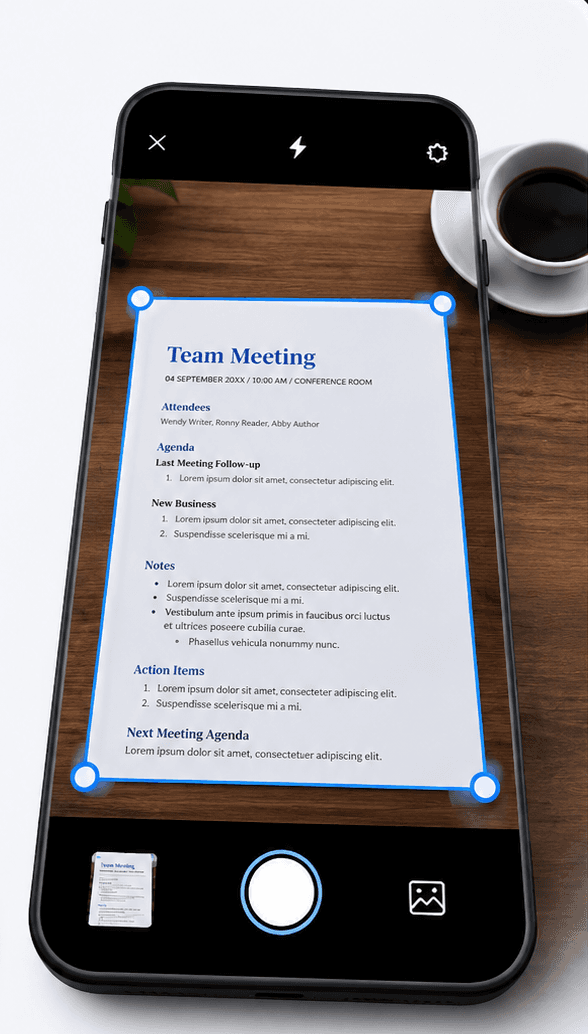
Mobile Receipt Capture On the Go

Photograph a coffee receipt, a hardware store trip, or a client lunch and AI instantly logs it as a categorized business expense. No more stuffing receipts in your bag.

How It Works

Four simple steps to a perfectly organized file system

01

Upload Your Files

Drop files, folders, or entire workspaces โ€” PDFs, images, docs, anything messy.

02

Tell AI What You Want

Use plain English like โ€œorganize by projectโ€ or โ€œgroup by client & date.โ€

03

AI Organizes Instantly

Files are renamed, categorized, and structured automatically โ€” no rules needed.

04

Find Anything Fast

Search using natural language and access any file in seconds.

Simple, transparent pricing

Start free. Upgrade only when you need more power.

Free

Start organizing smarter with AI-powered file management.

$0
  • 20 files one time
  • AI content analysis & auto-sorting
  • Smart file renaming
  • Basic tagging
  • Cloud sync across devices
  • Export Organized Folders
Most Popular

Premium

Ideal for professionals who organise files, notes, and projects every day.

$2.99/month
  • 500 files organization per month
  • Advanced subject-based folders
  • OCR for images & scans
  • Handwritten notes analysis
  • Mobile app access
  • Share-to-organize from anywhere
  • Priority support
  • Export Organized Folders
Best Value

Premium (Yearly)

Save more with annual billing

$29/year
  • 6000 files organization per year
  • Advanced subject-based folders
  • OCR for images & scans
  • Handwritten notes analysis
  • Mobile app access
  • Share-to-organize from anywhere
  • Priority support
  • Export Organized Folders
๐ŸŽ

For iPhone

AI File Organizer for Freelancers on iPhone

Keep client contracts, invoices, and project deliverables automatically organized on your iPhone.

Filex AI organizes your freelance documents by client and project on iPhone. Snap receipts on the go, find any contract instantly, and keep every client relationship perfectly filed from your pocket.

What it solves:

  • Auto-sort documents by client name and project
  • Search 'Acme Corp NDA 2024' instantly
  • OCR reads scanned contracts and photographed receipts
  • Smart folders per client and document type
  • Client name, invoice number, and date auto-tagging
๐Ÿค–

For Android

AI File Organizer for Freelancers on Android

Automatically organize client contracts, invoices, and tax receipts on your Android.

Filex AI reads and categorizes all your freelance documents on Android. Capture expense receipts with your camera, access any client file by name or date, and search across your entire business with natural language.

What it solves:

  • Auto-rename contracts and invoices with client details
  • Natural language search across all client projects
  • OCR processes scanned agreements and paper receipts
  • Smart folders per client and document category
  • Client, invoice number, and expense entity extraction

What People Are Saying

Join thousands who've revolutionized their file management

๐Ÿ”ดReddit
I had 4 years of invoices and contracts in a single Downloads folder. Filex organized everything by client in under 5 minutes. Tax prep this year was actually bearable.
F
via Reddit
๐ŸฆX
โœ“ Verified
Finally stopped losing track of which clients still owe me money. All my invoices are sorted and searchable now. Should have done this years ago.
I
via X
๐Ÿ”ดReddit
Client called asking about their NDA from 2022. Found it in 10 seconds. Old me would have spent 20 minutes digging through email attachments.
C
via Reddit
๐ŸฆX
โœ“ Verified
The receipt scanning alone is worth it. I snap every coffee receipt, every software subscription, and at year end my accountant gets a clean expense folder. Game changer.
S
via X
๐Ÿ”ดReddit
Managed 12 active clients at once and my files were a disaster. Now everything is per-client, per-project. I actually feel like a real business now.
R
via Reddit
๐Ÿ”ดReddit
The AI read my contracts and figured out which client they belonged to even when the file was named "document(3).pdf". That's actually impressive.
P
via Reddit

Frequently asked questions

Everything you need to know about using Filex AI

Is Filex AI free for freelancers?

Yes! Freelancers get free credits to organize up to 20 files per month. We offer a generous free tier designed for independent professionals, with premium plans available for unlimited organization across unlimited clients.

Does it work with scanned contracts and PDF invoices?

Absolutely. Filex AI supports PDFs, scanned documents, images, Word documents, and more. Our OCR technology can read printed and handwritten content, including scanned contracts and photographed receipts.

Can it organize documents across multiple clients at once?

Yes! Upload files from all your clients at once. The AI reads each document's content, identifies the client or project, and automatically creates separate organized folders for every client relationship.

Is my client data private and secure?

Your privacy is our top priority. All files are encrypted end-to-end, meaning only you can access your client documents. We never share or sell your data, and you can permanently delete everything at any time.

Will it rename or modify my original files?

No. Your original files are never touched. Filex AI creates an organized view and smart copies with descriptive names, but your original downloads stay exactly as they are.

Can I use it to prepare for tax season?

Yes, and this is one of the most popular use cases. Filex AI automatically sorts receipts, 1099 forms, and expense records into a Tax & Expenses folder throughout the year, so when it's time to file, everything is already organized and ready to hand to your accountant.

Does it work for different freelance industries?

Yes! Whether you're a developer, designer, writer, consultant, photographer, or any other type of freelancer, our AI understands document content across all industries and organizes your client files accordingly.

Can I access my organized files on my phone?

Yes! Files sync automatically across all your devices. Capture a receipt on your phone, review contracts on your tablet, and manage everything from your laptop or browser. Perfect for freelancers who work from anywhere.

Is any setup or manual tagging required?

Zero setup needed. Simply create an account, upload your files, and the AI starts organizing immediately. No manual rules, folder structures, or tagging required โ€” the AI figures it out from your document content.

How accurate is the AI at categorizing freelance documents?

Our AI achieves 95%+ accuracy categorizing freelance files including contracts, invoices, deliverables, and receipts. It reads content deeply โ€” not just filenames โ€” so even files named "download(1).pdf" get sorted correctly. You can always adjust manually if needed.

Ready to Organize Your Freelance Business?

Join thousands of freelancers and independent contractors who have already transformed their chaotic file systems into organized client management hubs.