
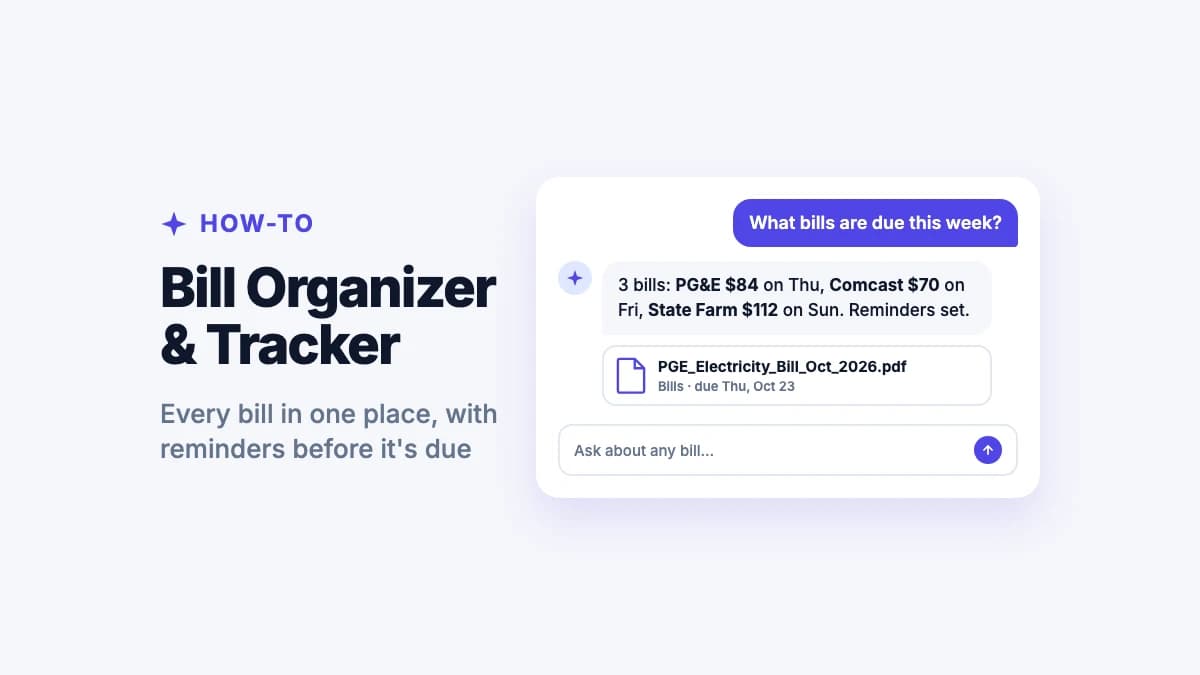
Rent on the 1st. Electricity on the 12th. Phone, internet, car insurance, three streaming services and a credit card, each arriving by email, app or paper, each with its own due date. Miss one and you pay a late fee. Miss a few and your credit score feels it.
The short answer: a good bill organizer puts every bill in one place with its amount, due date and a reminder before it's due. The easiest way is Filex AI, an AI bill manager: save, forward or scan any bill and it reads the provider, amount and due date, files it, reminds you before it's due, and answers questions like "how much did we spend on electricity last quarter?"
Below is a simple monthly system you can copy, a free bill tracker template, and how to choose between a paper organizer, a spreadsheet and a bill tracker app.
Why bills are so hard to keep track of
Bills don't arrive in one place, so they're hard to keep in one place:
- Some come by email, some through a provider's app, and some still by post.
- Due dates are spread across the month, and some change when a billing cycle shifts.
- Amounts change (utilities in winter, a price rise on a subscription), so last month's number isn't a safe guess.
- Autopay hides things. It's easy to forget a subscription you never see.
The fix isn't remembering harder. It's one list, one place for the bills themselves, and reminders that fire before each due date.
Step 1: Make your bill list
Write down every recurring bill once. This is the backbone of any bill organizer:
| Bill | Provider | Usual amount | Due date | How it arrives | Autopay? |
|---|---|---|---|---|---|
| Rent / mortgage | 1st | ||||
| Electricity | |||||
| Gas / water | |||||
| Phone | App | ||||
| Internet | |||||
| Car insurance | |||||
| Health insurance | |||||
| Credit cards | |||||
| Subscriptions | |||||
| Loans |
Copy this into a note or spreadsheet and fill it in from your last two months of bank and card statements. Most people find at least one subscription they'd forgotten.
The bill tracker that fills itself in
Save or scan any bill and Filex AI reads the provider, amount and due date, files it and reminds you before it's due. Your first 10 files are free.
Try Filex AI FreeStep 2: Pick a bill organizer that fits you
| Paper bill organizer | Spreadsheet | Bill tracker app (Filex AI) | |
|---|---|---|---|
| Holds the bills | Paper only | No, just the list | Yes: PDFs, emails, scans |
| Reminders | No | Only if you set them up | Automatic, from each bill's due date |
| Updates when amounts change | You rewrite it | You retype it | Read from each new bill |
| Spending totals | No | With formulas | Ask in plain words |
| Works on your phone | No | Partly | Yes, iPhone, Android and web |
A paper organizer with pockets works if most of your bills still come by post. A spreadsheet works if you enjoy updating it. For everyone else, a bill tracker app does the updating for you.
Step 3: Put every bill in one place
Whatever you choose, the bills themselves need a home:
- Email bills: download the PDF, or forward the email. In Filex AI, share the PDF from your mail app and it's filed with the provider, amount and due date already read.
- App-only bills: most provider apps let you download a statement PDF. Save it the same way.
- Paper bills: scan them with your phone. Filex AI's scanner reads the page, names it (for example
PGE_Electricity_Bill_Oct_2026) and files it under Bills.
Use one folder per year with subfolders by type (Utilities, Insurance, Phone and Internet, Housing, Cards), or let Filex file them automatically.
Step 4: Set reminders before every due date
Set each reminder 3 to 5 days before the due date, so there's time to move money if you need to.
- By hand: add each due date to your calendar as a repeating event.
- With Filex AI: reminders come from the bills themselves. When a new bill arrives, Filex reads its due date and reminds you, even when the date moves.
If you use autopay, keep the reminder anyway. It's your chance to spot a bill that jumped or a charge you don't recognize before it leaves your account.
Ask what you spent, get the number
"How much did we spend on utilities this year?" Filex AI answers from your saved bills, no spreadsheet needed.
Download Filex AIStep 5: Review once a month (10 minutes)
On the same day each month:
- Check every bill on your list was paid.
- Look for amounts that went up.
- Cancel anything you no longer use.
- Glance at the total for the month.
With Filex AI you can skip the adding up. Ask "how much did we spend on utilities this month?" or "what did internet cost us this year?" and Filex answers from your saved bills.
Step 6: Go paperless (mostly)
Switching to e-bills cuts the clutter and means every bill arrives as a PDF you can file:
- Log in to each provider's account and turn on paperless or e-billing.
- Use one email address for all bills, so nothing hides in a work inbox.
- Scan the paper bills that remain, then shred them once they're saved.
Keep paper copies only when a provider or lender asks for originals.
How long should you keep bills?
- Utility, phone and internet bills: usually until the next one shows it was paid. Keep a year if you claim a home office or need proof of address.
- Credit card and bank statements: a year, or longer if they back up tax deductions.
- Anything you use for taxes: the IRS generally says 3 years from when you filed, longer in some situations (6 years if you under-reported income by more than 25%, 7 for bad debt or worthless securities). See the IRS guidance, and check with a tax professional for your case.
Saved digitally, keeping them costs nothing, so when in doubt, keep it.
The AI bill manager: let Filex AI do the tracking
Filex AI turns a pile of bills into a tracked list:
- Reads every bill: provider, amount, billing period and due date, from PDFs, emails, photos and scans.
- Files it automatically under the right type, with a clear name.
- Reminds you before it's due, using the date on each new bill.
- Answers spending questions like "what did we spend on electricity last winter?" or "which bills went up this year?"
- Finds any bill by what it says: "the Comcast bill from March".
- Works on iPhone, Android and the web, so the whole household can see the same bills.
Filex doesn't pay bills or connect to your bank. It keeps your bills organized, tracked and easy to find, and reminds you in time to pay them however you normally do.
Your first 10 files are free. Keeping receipts too? See how to organize receipts.
Every bill tracked, every due date remembered
Your AI bill manager on iPhone, Android and the web, with reminders before each bill is due.
Get Filex AINever miss a bill again
The goal isn't a perfect spreadsheet. It's knowing what's due before it's due, and having every bill one search away when you need it. Make your bill list today, put this month's bills into Filex AI, and let the reminders and totals take care of themselves.
